
Add & Edit Your Restaurant Logo and Cover
Logo and Cover images help customers recognise your restaurant.
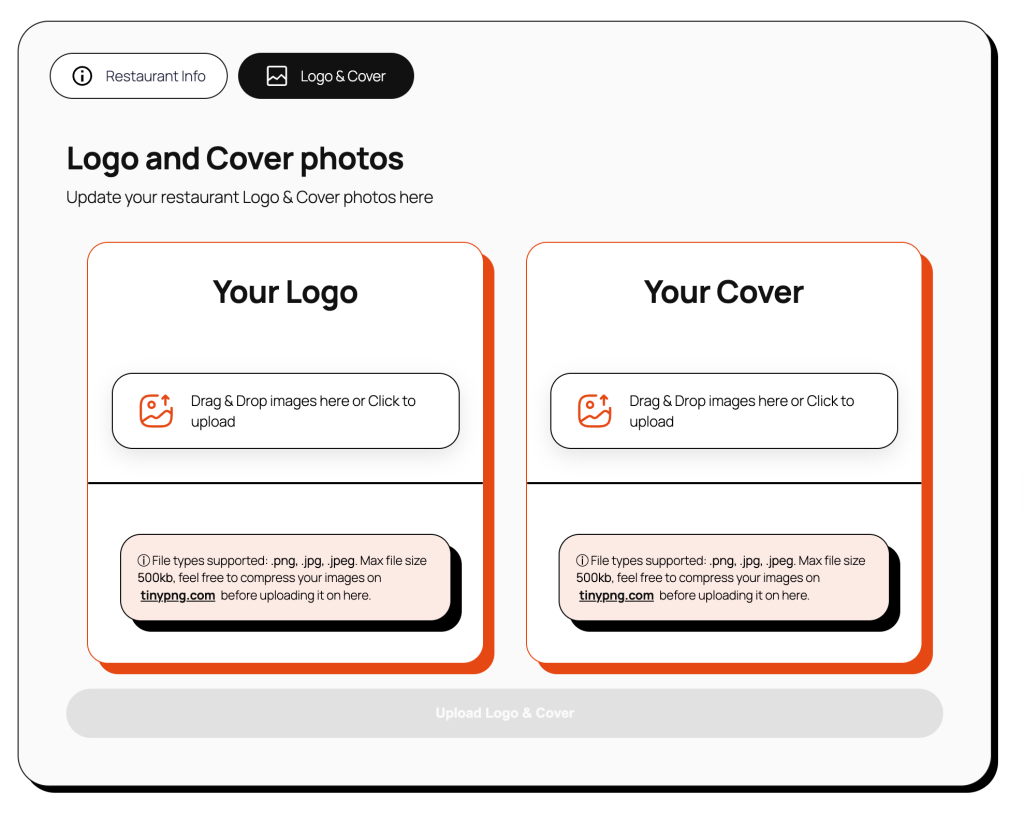
- Go to My Restaurant page and select the Logo & Cover tab.
- Under the Logo & Cover tab you need to add the following:
- Your Logo – Your logo that represents your restaurant
- Used across the platform
- Displayed on deal cards and listings
- ⓘ File types supported: .png, .jpg, .jpeg. Max file size 500kb, feel free to compress your images on tinypng.com before uploading it on here.
- Your Cover – A cover image showing off your restaurant
- Shown on your restaurant page
- Should represent your restaurant atmosphere or food
- ⓘ File types supported: .png, .jpg, .jpeg. Max file size 500kb, feel free to compress your images on tinypng.com before uploading it on here.
- Your Logo – Your logo that represents your restaurant